

Import Custom Sentences

Learning grammar can be more effective when you focus on a single topic within one sentence at a time. For example, mastering the present perfect tense is easier when practicing sentences that exclusively follow this grammar pattern, rather than working with sentences that mix multiple tenses and complex structures. Repeating this targeted practice helps reinforce your understanding and improves your ability to use the grammar naturally.
If you have a set of sentences you want to practice, you can add them to your learning loop using the Vocabulary Import feature. To do this, simply select Custom Sentences from the dropdown menu. This allows you to focus on specific grammar patterns, sentence structures, or vocabulary, ensuring a more structured and efficient learning experience.
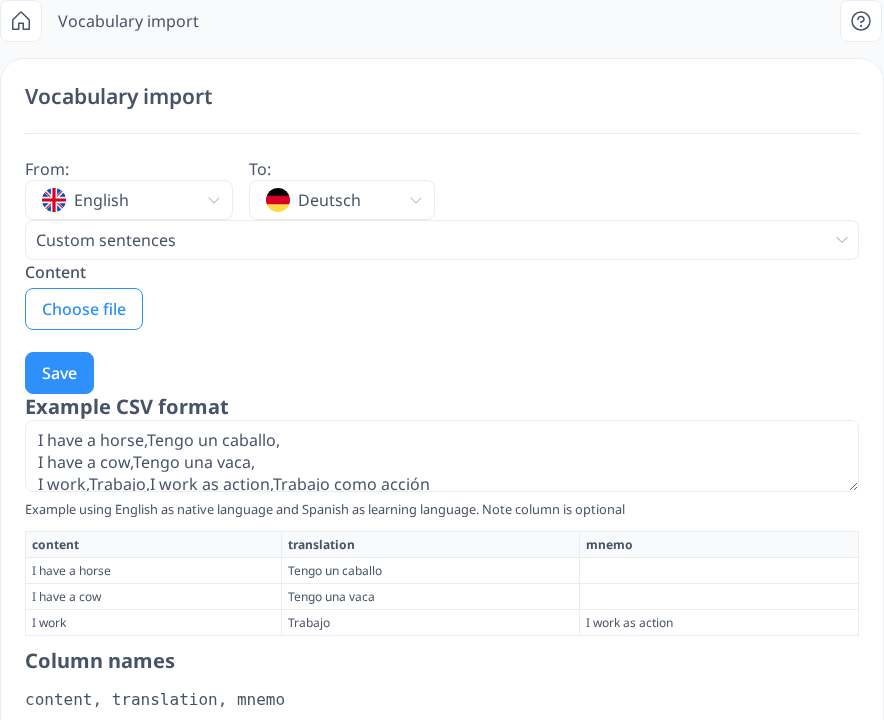 [mobile]
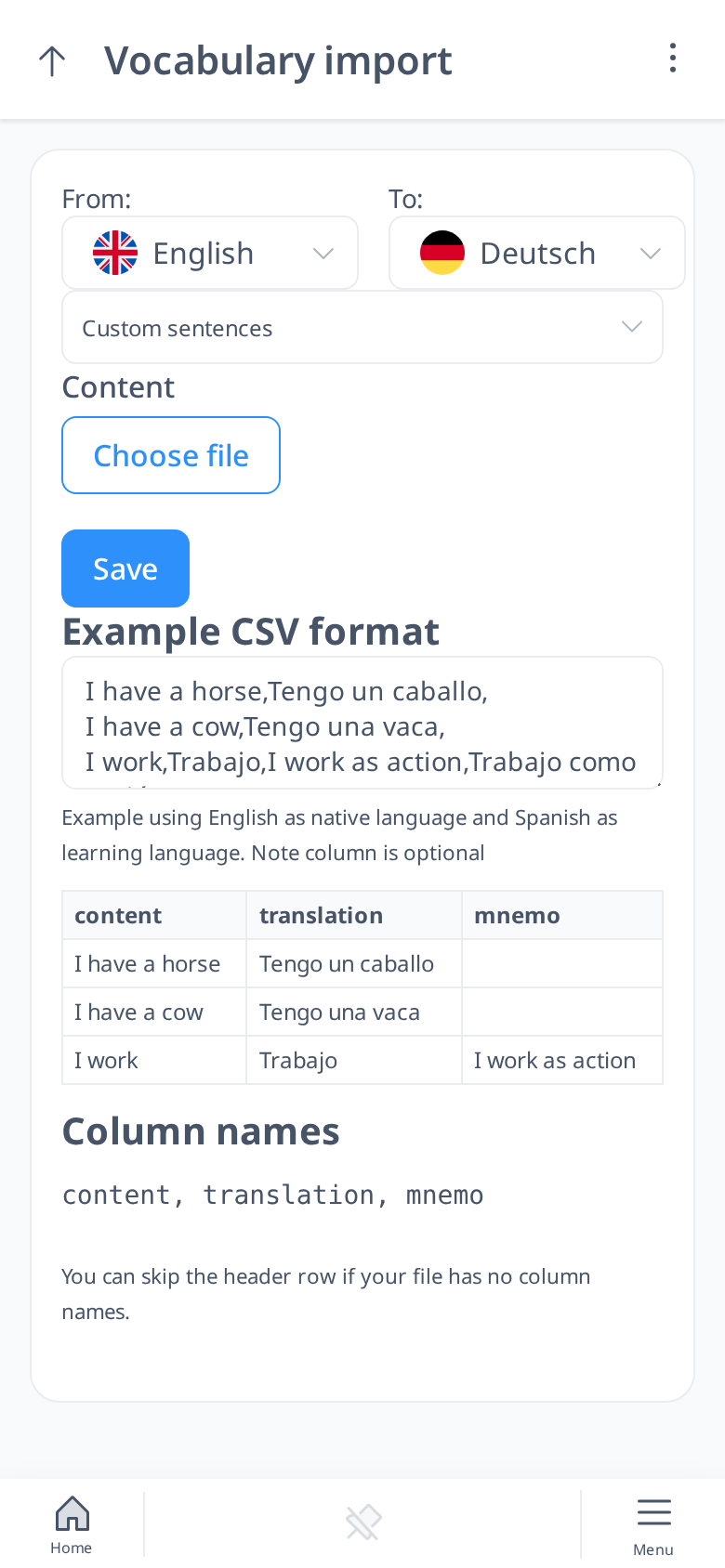
Similar to importing Custom Words, you need to select the appropriate languages when importing Custom Sentences. In the From box, choose your interface or native language, and in the To box, select the language you are currently learning.
To proceed, you must prepare a CSV file with the following structure:
- First column: Sentences in your native/interface language
- Second column: Translations in the language you are learning
- Third column: Notes related to the sentences (optional)
If you do not need to include notes, you can leave the third column empty. Please note that column headers should not be included in your file.
Once your CSV file is ready, upload it by clicking Choose File, selecting your file, and then clicking Save to complete the import. The sentences will be added to your Vocabulary under the Custom Sentences section. You can review them there or practice with them in the My Sentences Test.
By importing your own sentences, you can tailor your learning experience to focus on the grammar patterns and vocabulary that matter most to you, making your practice more efficient and personalized.