

Bulk Add Sentences

The Bulk Add Sentences feature works similarly to Bulk Add Words, but instead of individual words, it allows you to manage sentences that you know or have encountered in lessons. You can update their status based on your familiarity, helping you organize and track your learning progress more effectively.
 [mobile]
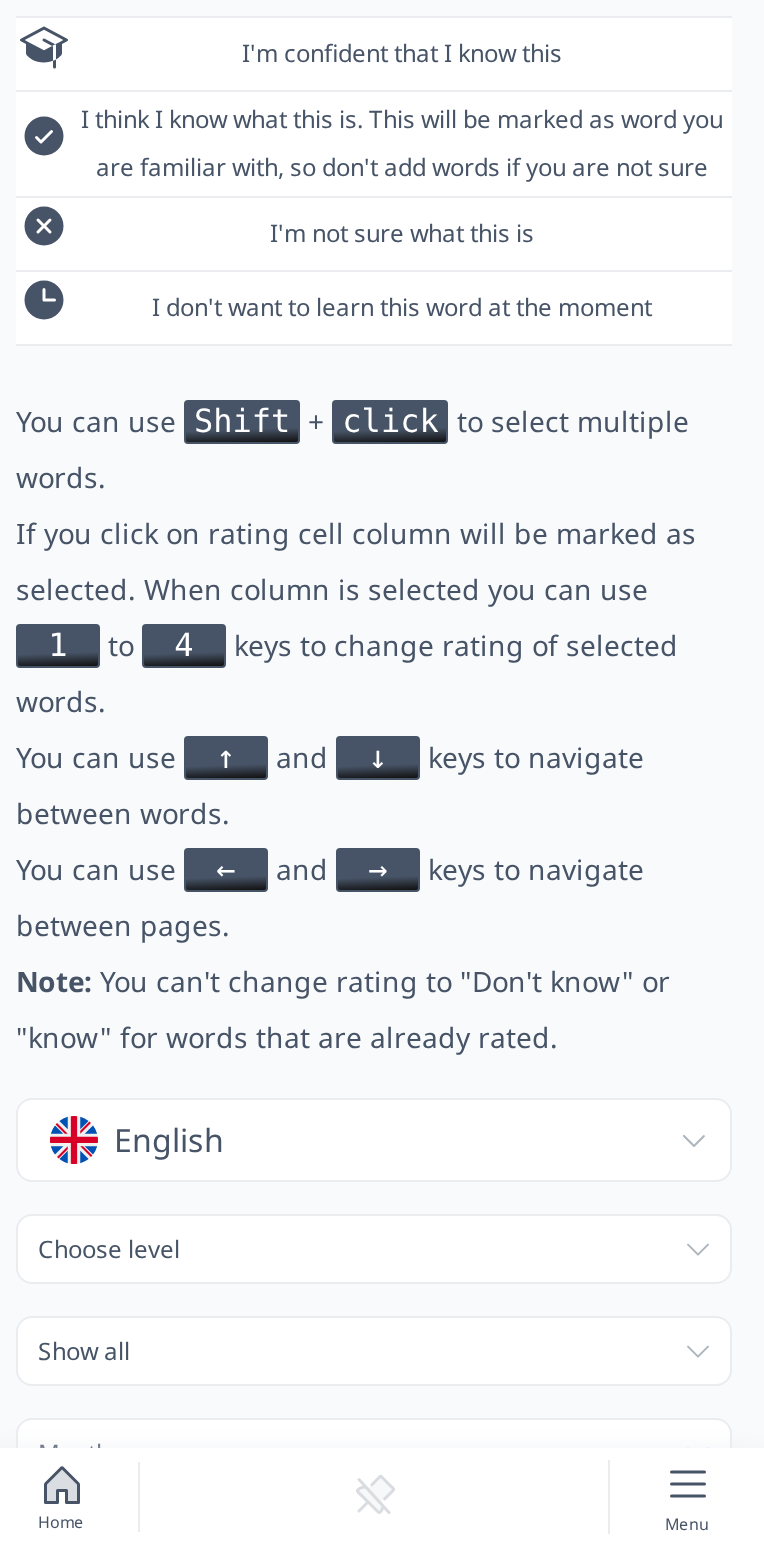
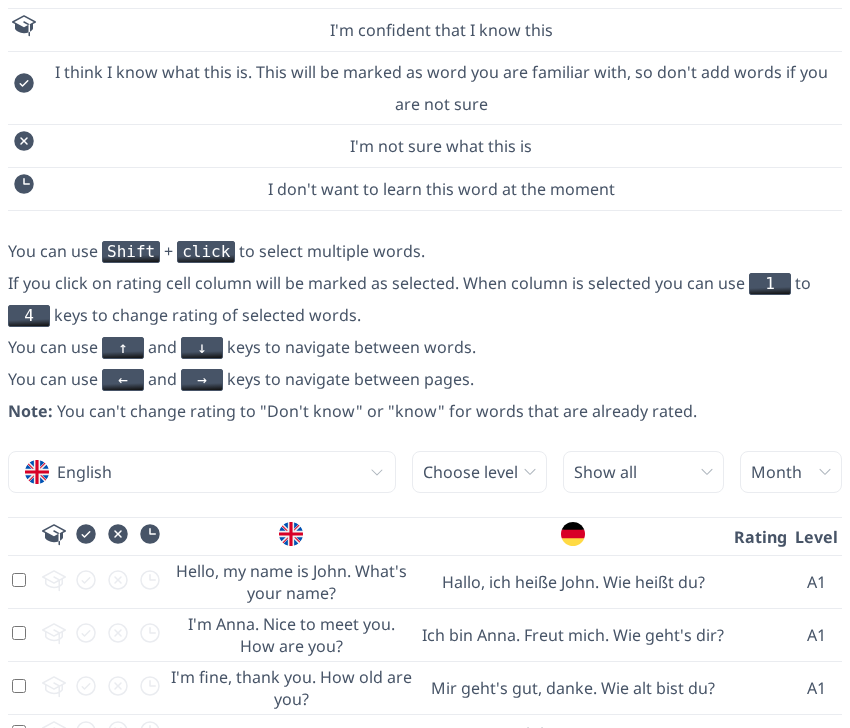
Click Show help above the list to see what each icon means and which keyboard shortcuts you can use.
On this page, you can categorize sentences based on your familiarity with them:
- Know Perfectly – Select this option if you are confident that you know these sentences perfectly and rarely need to review them, as they are too easy for you at this point.
- Familiar/Known – Choose this if you understand the sentences well but still need occasional reviews to reinforce them.
- Don’t Know – Use this for sentences you still struggle to construct correctly or ones you may forget without frequent review. This option also allows you to add new sentences into your learning loop.
- Buried – Mark sentences as Buried if you don’t want to review them for now because you prefer to focus on simpler sentences first. This is useful if the buried sentences are more complex and require more time to learn. You can also use this option to hide sentences permanently if you don’t want them to appear in Sentence Tests.
By default, buried sentences remain hidden for one month, but you can manually adjust the duration using the "Hide for" dropdown menu. The available options are one day, one week, one month, or forever.
 [mobile]
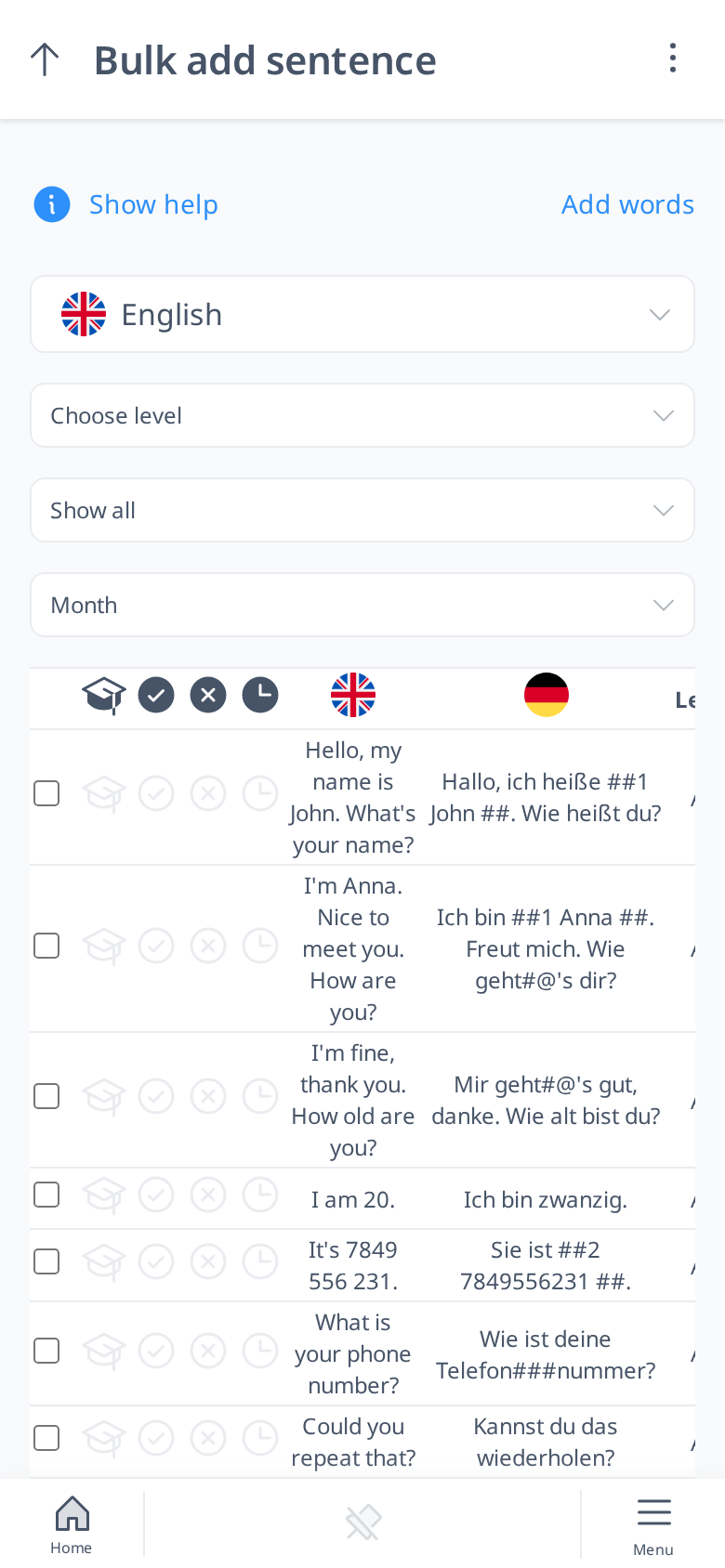
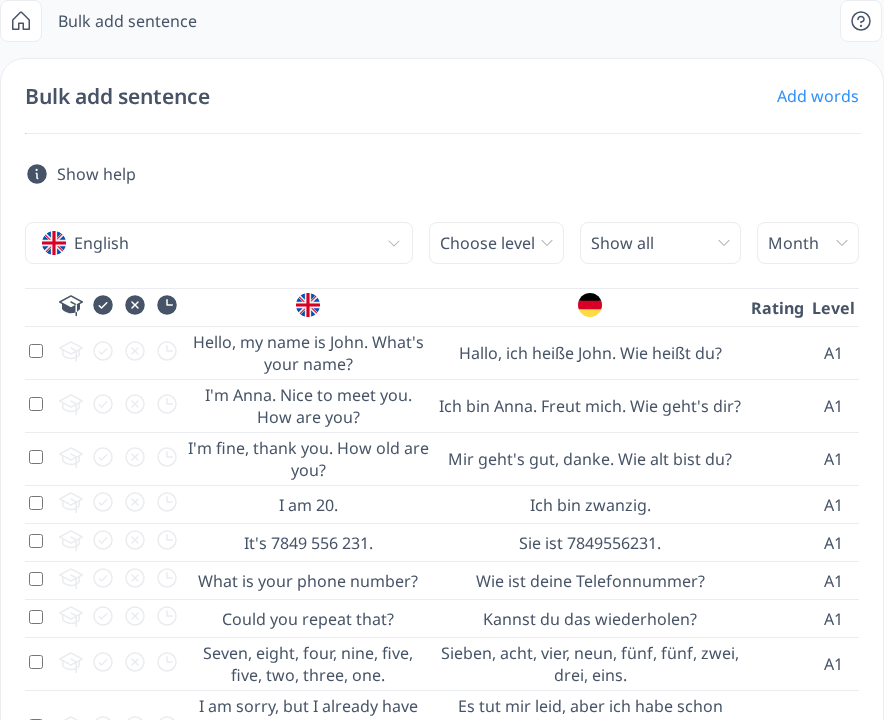
The interface functions similarly to Bulk Add Words. You can view sentences in the language you are learning, along with their translations and proficiency levels. If needed, you can change the translation to a different language instead of your interface or native language.
You can also filter sentences by:
- Proficiency level (A1, A2, B1, B2, C1, C2)
- Your familiarity level (Perfect, Known, Don’t Know)
- Buried sentences (to focus on hidden sentences)
- Sentences not yet encountered in lessons
This allows you to efficiently organize and manage your learning process based on your current progress.