

Chat Messages
Langoid offers a chat feature similar to those on social media, allowing you to connect with friends or make new ones. However, since Langoid is designed for language learning, the chat feature also helps you improve your target language while you communicate.
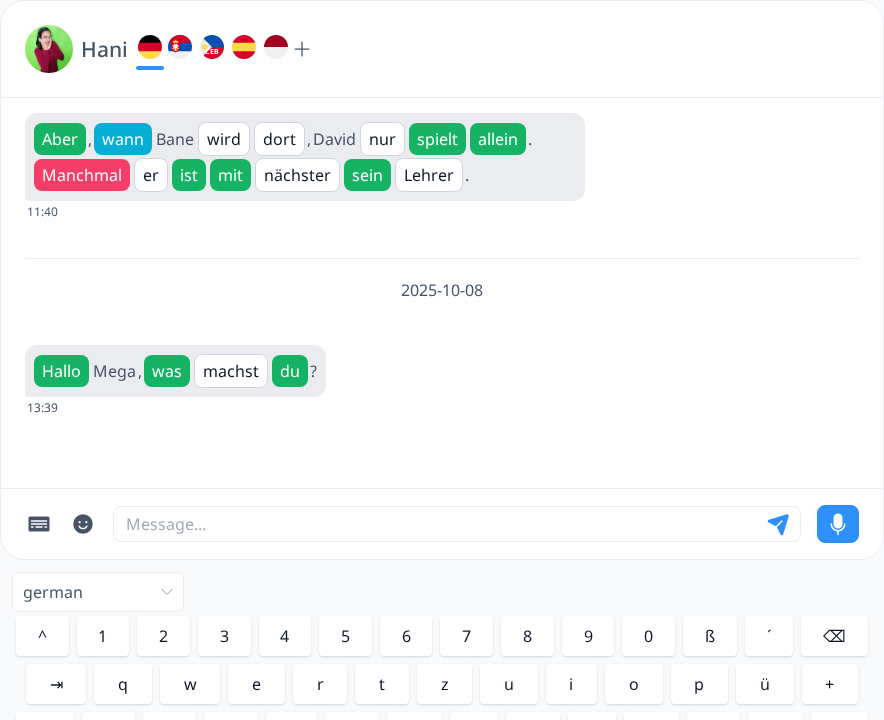
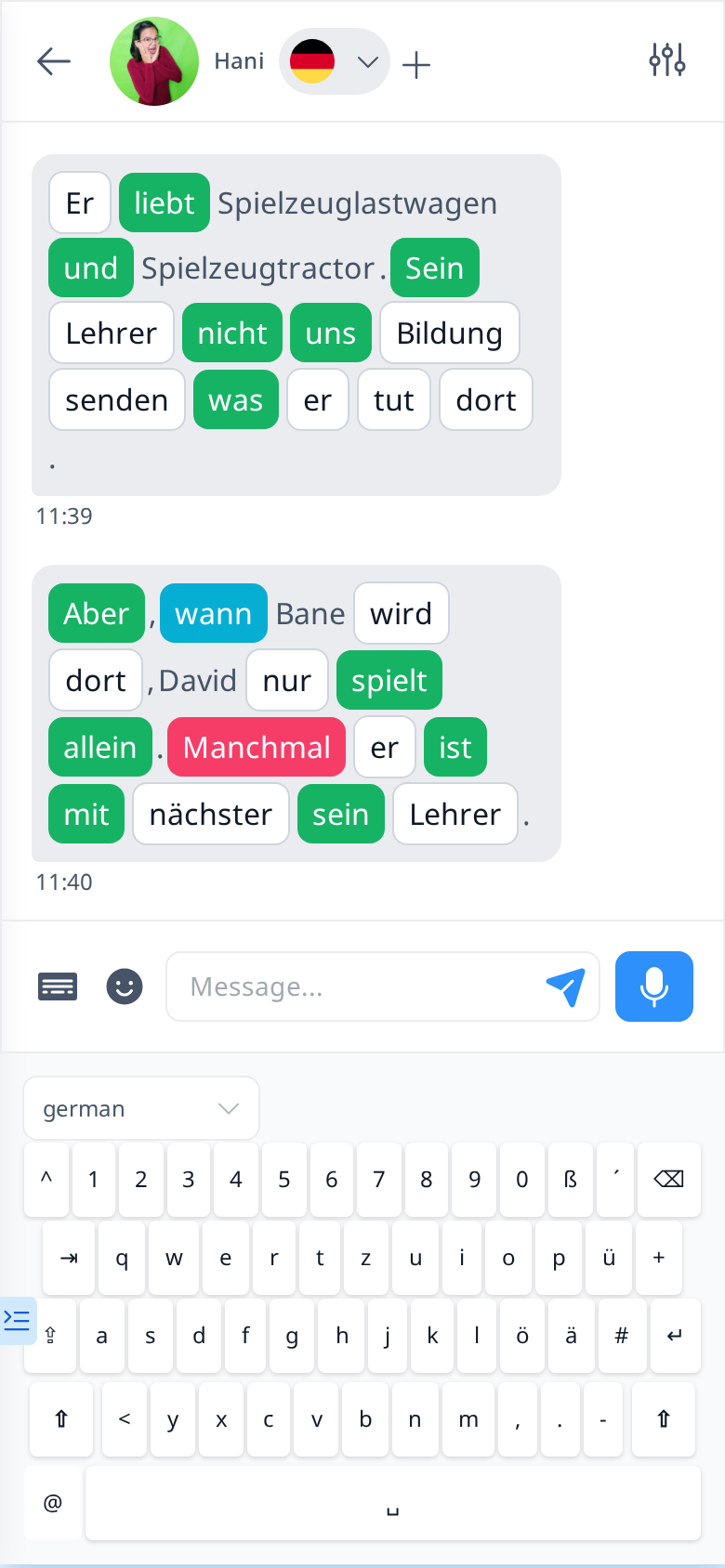
In Langoid Chat, messages are displayed in a format similar to Lessons. Each word appears in its own box with a distinct background, making it easier to focus on individual words. You can click on any word to open the Word Info sidebar, where you’ll find definitions and additional details about the word.
To make the most of this feature, be sure to chat in the language you are currently learning—otherwise, the word lookup function won’t work. If you want to switch to a different language when chatting with a friend, simply click the “+” button at the top, next to the flags and your friend’s name, and select the language you’d like to use.


If your device doesn’t have the appropriate keyboard installed for typing in the language you are learning (for example, to type é in Spanish), you can use the built-in keyboard in Langoid Chat.
By default, the keyboard is set to match the language you are currently learning. If you switch to a different language in chat, the keyboard layout will automatically adjust as well. However, you can always manually change the keyboard language and layout using the dropdown menu located at the top left of the keyboard.
Like other chat platforms, Langoid Chat allows you to edit or delete your messages and bookmark important ones for easy access later. All bookmarked messages are stored in the Bookmarks tab, so you can quickly find them when needed.
Additionally, you can enhance your conversations by sending emojis and audio messages.