

Words
My Vocabulary – Words is where you can track the familiarity level of each word you have added to your vocabulary. These words are part of your learning cycle and come from the Langoid database—either from lessons you have completed or words you have manually added through Word Info or Advanced Tools.
To access My Vocabulary – Words, go to the Stats section, select My vocabulary, and choose Words from the drop-down menu at the top. The Share progress button next to it lets you share a link that shows how many words you know (on a computer the link is copied so you can paste it anywhere).
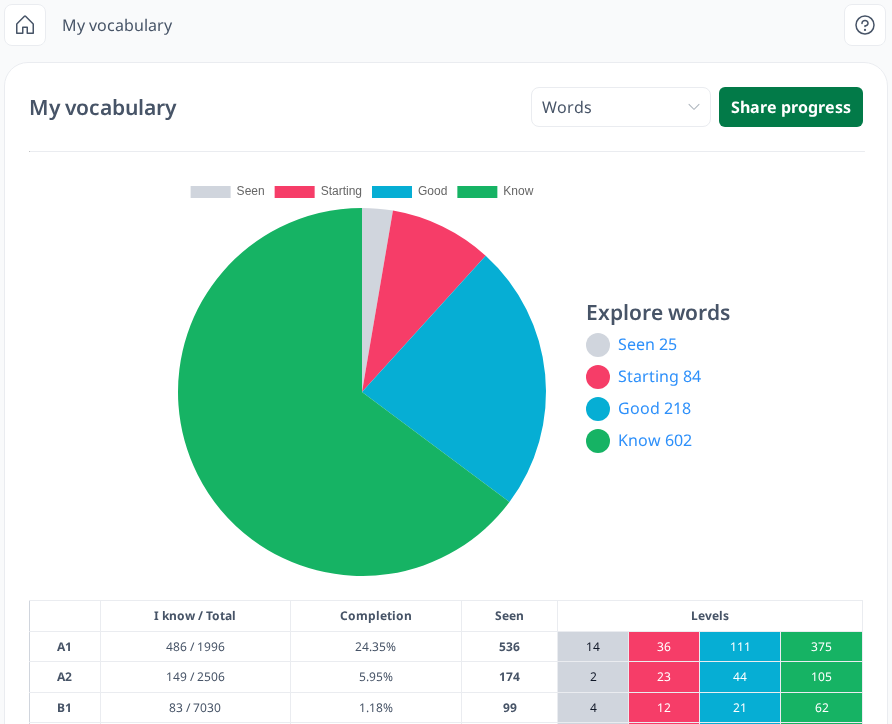
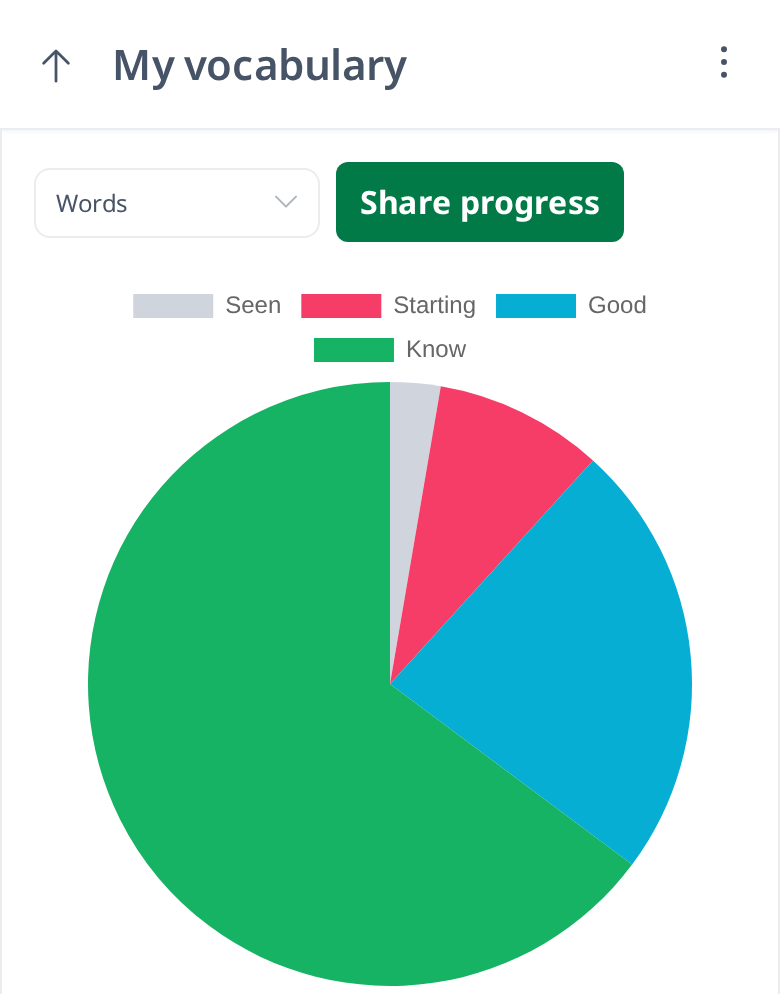
On this page, you can view your vocabulary data in two formats: a pie chart and a table. The pie chart provides a visual overview, making it easier to analyze the distribution of your vocabulary based on familiarity levels. You can quickly see whether your vocabulary is dominated by highly familiar words or those you are still learning.
If you want to focus on specific familiarity levels—such as Seen, Starting, and Good—you can filter the data by clicking on the Know bar above the pie chart until it is crossed out. This will hide the Know category, allowing you to view only the selected familiarity levels.
To the right of the pie chart, you will find a breakdown of the number of words at each familiarity level:
- Seen – The lowest level, indicating that you have just encountered the word.
- Starting – Words you have started to recognize but are not yet fully familiar with.
- Good – Words you are more comfortable with but still reinforcing.
- Know – Words you have mastered and can recall with ease.
As you encounter words in Word Tests, those you answer correctly multiple times will gradually move up to the next familiarity level.
Additionally, each familiarity level is clickable, allowing you to explore more detailed information about the words in that category.
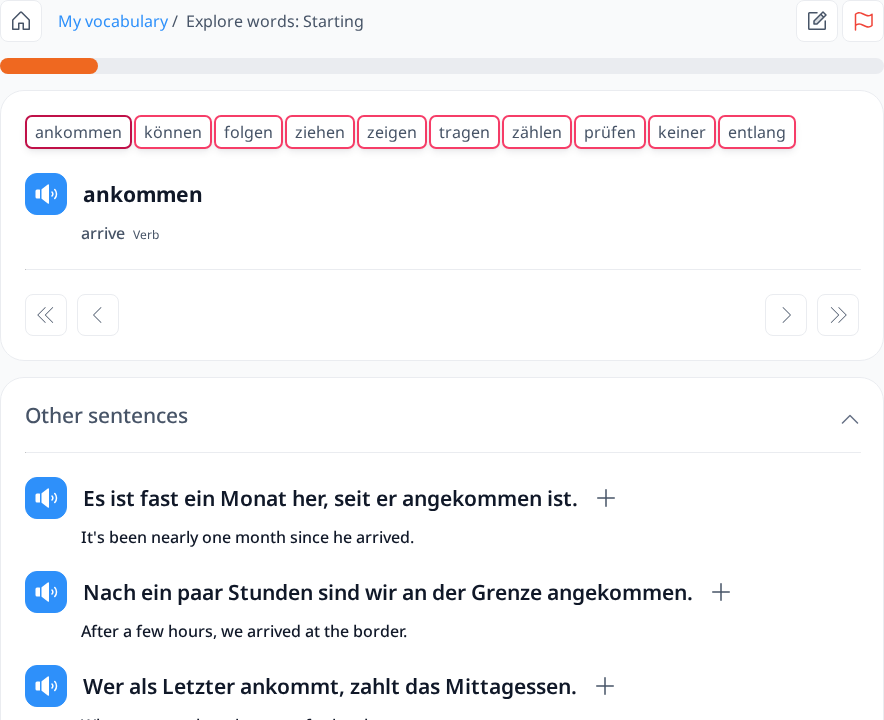
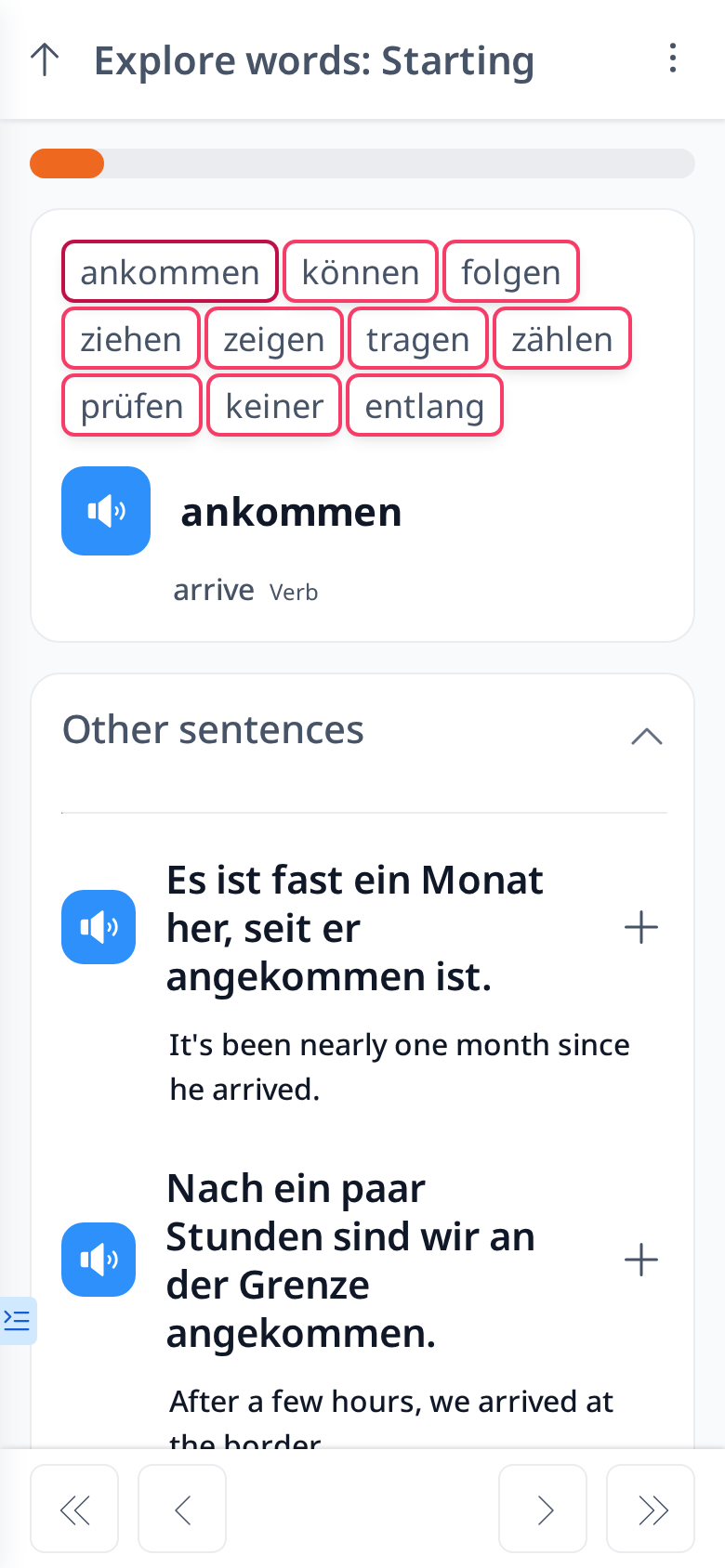
When you select a familiarity level, such as Starting, you will see a list of words categorized under that level. On this page, you can view detailed information about each word, including:
- The word and its translation
- Part of speech
- Audio pronunciation
- Example sentences (found under the Other Sentences section)
- Word forms (e.g., plural form, singular second person, imperative, accusative, etc.)
- Synonyms, if available
To navigate between words, you can either click on a word at the top of the page or use the left ( < ) and right ( > ) arrows. To move to the next or previous set of words, use the double left ( << ) and double right ( >> ) arrows.
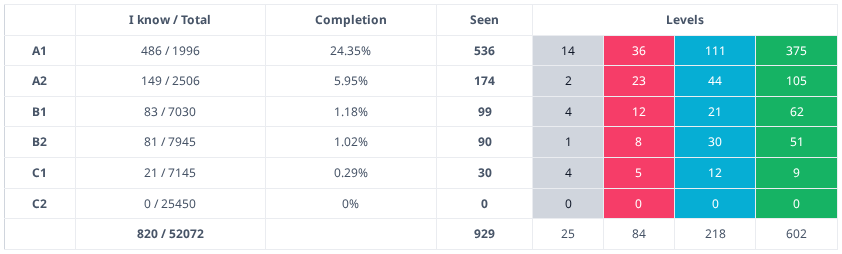
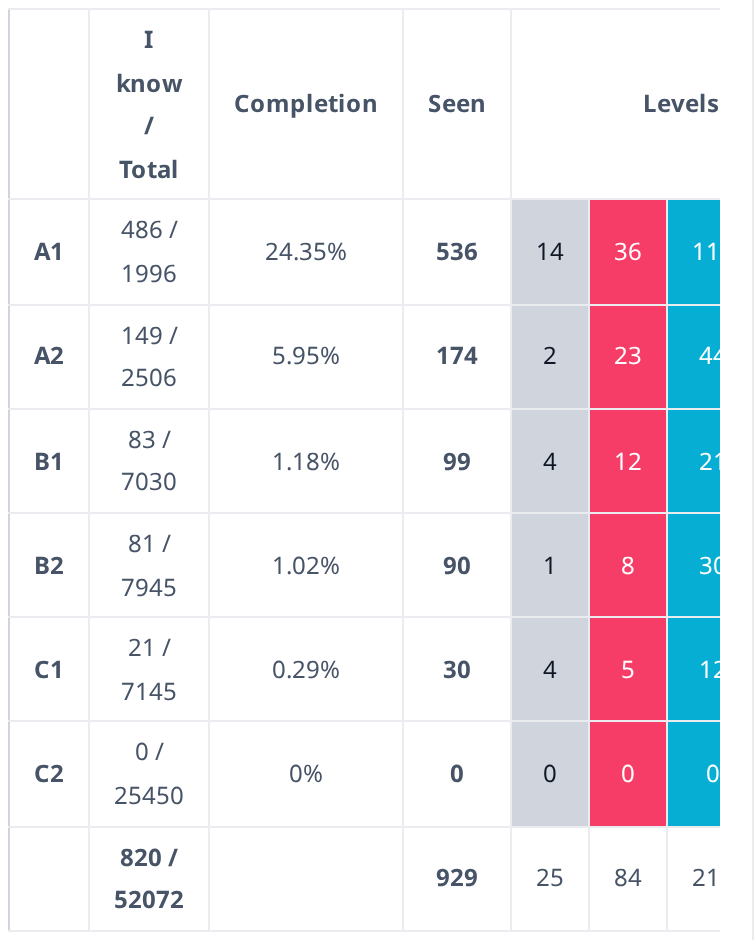
Below the Pie Chart, you will find a Table that provides a detailed breakdown of your vocabulary based on difficulty levels. These levels range from A1 to C2:
- A1 & A2 – Basic vocabulary commonly used in daily conversations.
- B1 & B2 – Intermediate-level words used in more complex discussions.
- C1 & C2 – Advanced vocabulary, including less frequently used words.
The table includes the following columns:
- I Know / Total – Displays the number of words at this difficulty level that have reached the Good and Know familiarity levels, compared to the total number of words in that level.
- Completion – Shows the percentage of words you are already familiar with (Good & Know) relative to the total words in that difficulty level.
- Seen – Indicates the total number of words from this difficulty level that you have encountered.
- Level – Categorizes words into Seen, Starting, Good, and Know familiarity levels.
This table helps you track your vocabulary progress and identify which levels need more attention.
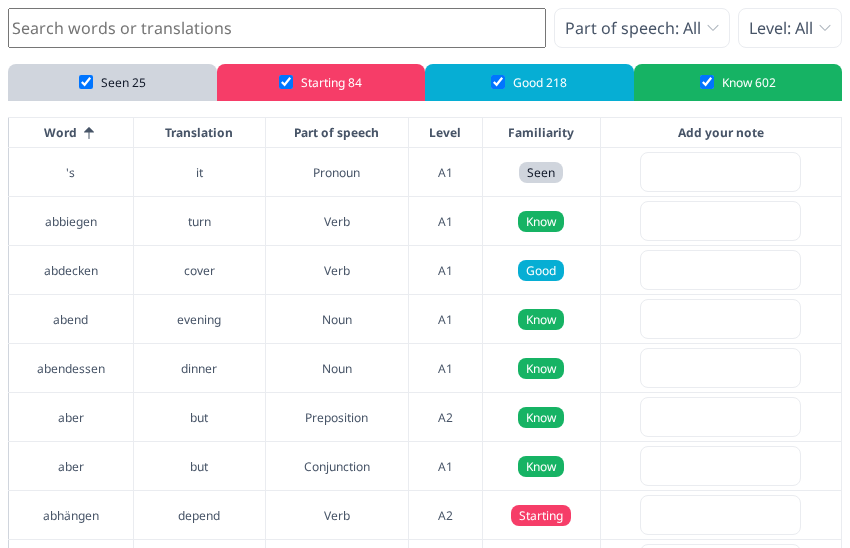
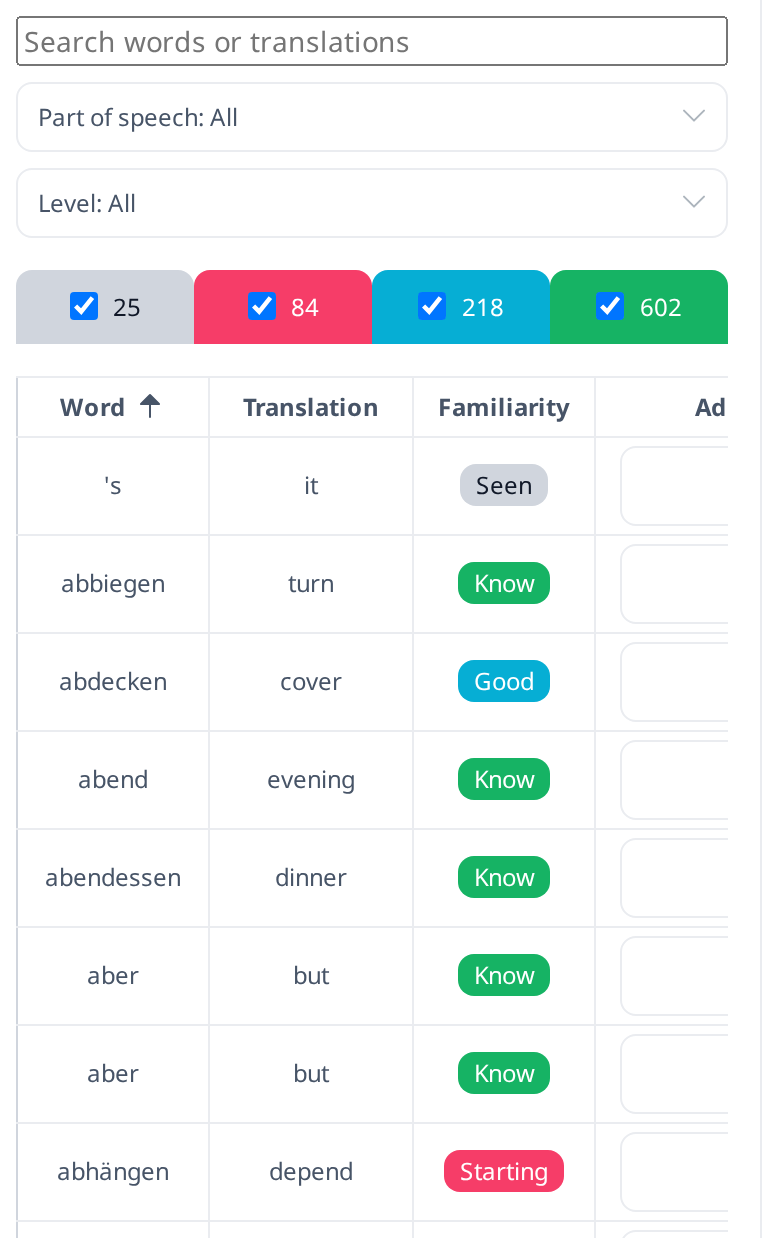
In this table, you can also view the list of words for each familiarity level by selecting the checkbox at the top of the table. You can also search the list by word or translation and filter it by part of speech and level. However, the information displayed here is not as detailed as what you can find on the Explore Words page.
This table allows you to easily add notes for words or review your previous notes related to them, helping you track your learning progress more effectively.
By utilizing both the Pie Chart and Table, you can gain valuable insights into your vocabulary development. Regularly checking your progress and reviewing your notes will help reinforce your learning and improve your retention over time.